
Key to the [CISA]
Newsroom > Insights
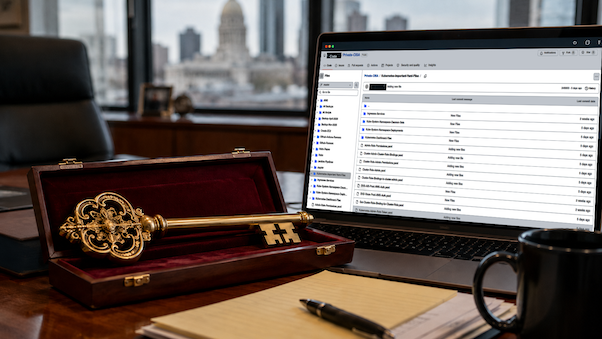
What a US federal government credential exposure teaches about secrets management, contractor risk, and operational discipline.
Key to the City
Recent reporting described a public GitHub repository tied to a US Cybersecurity & Infrastructure Security (CISA) contractor that allegedly exposed credentials connected to CISA and DHS systems, including plaintext passwords, AWS GovCloud keys, tokens, and identity-related material. GitGuardian reported finding a public repository named “Private-CISA” on May 14, 2026, and said CISA took it offline within about 26 hours. Axios also reported that Sen. Maggie Hassan requested an urgent classified briefing from CISA leadership following the exposure.
The obvious joke writes itself—someone left the key to the [CISA] online.
But the serious lesson is bigger than one agency, one contractor, or one repository.
Credentials are not just passwords. They are access. API keys, cloud tokens, service accounts, certificates, administrator logins, and automation credentials can all become entry points when they are copied into the wrong place.
That is the real issue: secrets sprawl.
A business may have MFA enabled. It may have a password manager. It may have cloud logging. But if valid credentials are sitting in a repository, ticket, spreadsheet, shared folder, contractor workspace, or forgotten script, the organization may no longer know where its access actually lives.
And if an attacker finds those credentials first, they no longer need to break in to your systems. They simply need to login.
Not Just a Government Problem
Many businesses face this same risk every day, just at a smaller scale.
> An admin password gets pasted into a ticket.
> An API key gets saved in a script.
> A vendor account never gets disabled.
> A cloud token is stored in a contractor folder.
> A shared spreadsheet becomes the unofficial password vault.
> A service account keeps working long after anyone remembers why it exists.
These are not dramatic failures.
They are operational failures.
They happen when access is created faster than it is controlled.
The Controls Aren’t Complicated, But They Need to Be Consistent
Credential protection does not come from one tool.
It comes from a controlled system of tools, procedures, and accountability.
That includes:
> Password managers to keep credentials out of spreadsheets, email, tickets, and browser notes.
> Privileged access management to reduce standing administrative access and control high-risk accounts.
> EDR/MDR endpoint protection to detect suspicious behavior, credential misuse, and risky endpoint activity.
> Secret scanning to catch exposed keys, tokens, and passwords before they become incidents.
> Identity monitoring to identify suspicious logins, unexpected access, privilege changes, & account takeover.
> Written SOPs so employees, vendors, and contractors know how credentials must be created, stored, shared, rotated, and removed.
The tools matter. But the process matters more.
A password manager does not help if people still paste credentials into tickets. EDR cannot protect what no one investigates. PAM does not reduce risk if privileged accounts are never reviewed. SOPs do not help if they are written once and ignored.
Security improves when the rules are clear, the tools support the rules, and the organization actually follows them.

Where Are Your Keys Right Now?
The question is not whether your business has credentials. It does.
The question is whether those credentials are controlled.
> Where are your administrator passwords stored?
> Who has access to your cloud accounts?
> Which vendors still have logins?
> Are service accounts reviewed?
> Are credentials ever pasted into tickets, emails, documents, or scripts?
> Would you know if one was exposed?
If the answer is unclear, that is the risk.
Takeaway
Credential leaks are rarely just technical mistakes.
They are signs that access management, documentation, monitoring, and operating procedures are not working together.
CTRL-A helps businesses bring those pieces under control through cybersecurity services and managed IT support that align password management, privileged access reviews, endpoint protection, identity monitoring, vendor access cleanup, and practical SOPs.
Because the worst time to find out where your keys are is after someone else has already found them.
Need help tightening credential control across your business?
Contact us to review how your passwords, privileged accounts, vendors, and security tools are being managed.
About CTRL-A
CTRL-A Technical Services is a Riverside, California–based managed services provider delivering managed IT, cybersecurity, and on-site technical support. We help growing organizations reduce risk, strengthen operations, and maintain stability through structured, security-first technology services. Follow us on Instagram and LinkedIn to learn more.